Tenant Management
A Tenant is the billing entity in Wholesale, representing a downstream customer.
1. Create a Tenant
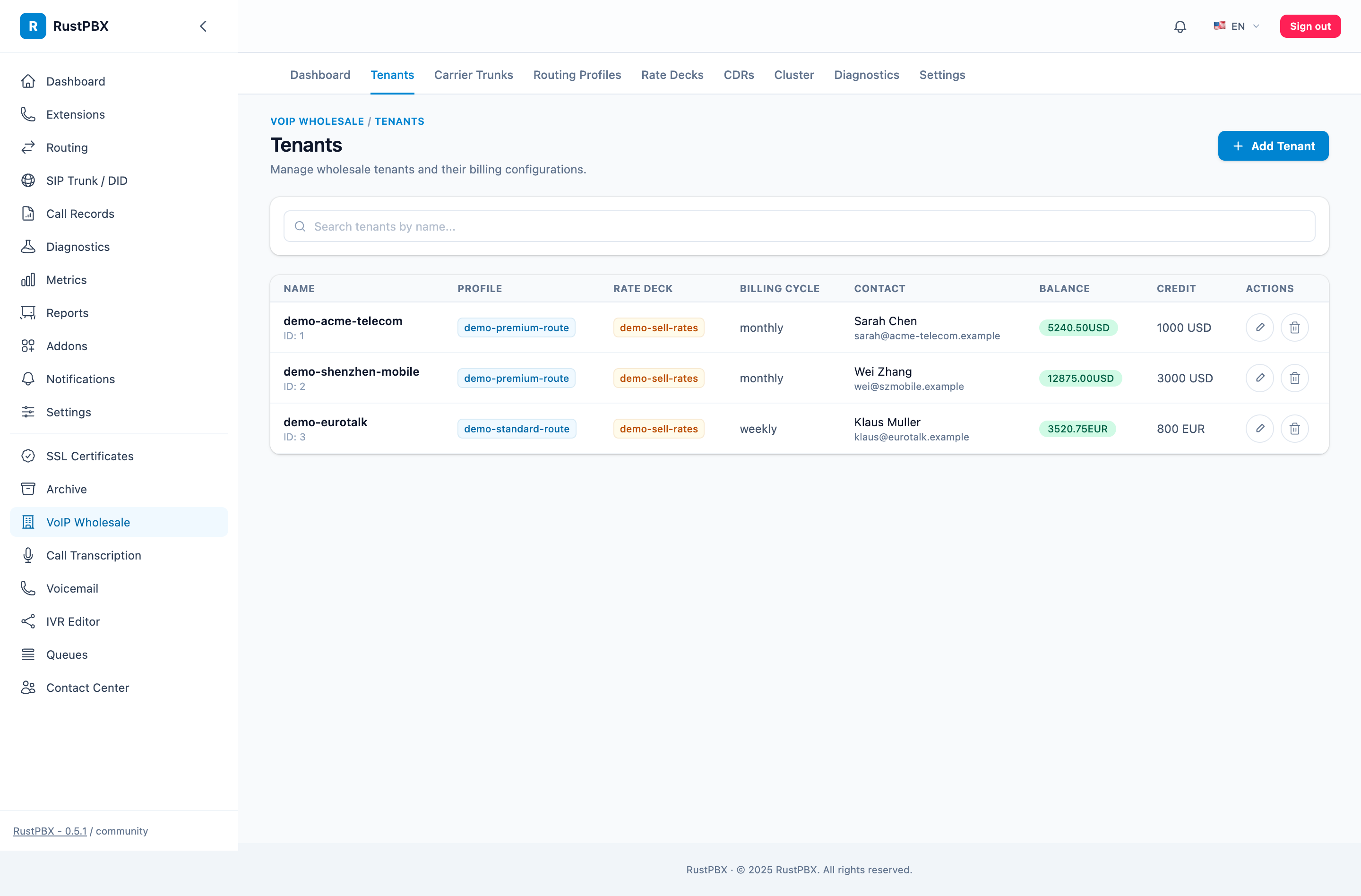
Wholesale → Tenant Management → Create Tenant:
| Field | Description | Example |
|---|---|---|
| Name | Tenant display name | Customer A |
| Balance | Current account balance | 10000.00 |
| Credit Limit | Allowed overdraft limit | 1000.00 |
| Sell Rate Deck | Rate deck used for billing this tenant | sell-deck-cn |
| Routing Profile | Routing profile used by this tenant | profile-default |
| LCR Enabled | Whether to enable least-cost routing | true |
| Max Concurrent | Maximum simultaneous calls for this tenant | 200 |
| Max CPS | Maximum calls per second for this tenant | 50 |
| Status | enabled / disabled | enabled |
Balance Check Logic
On inbound calls the system checks: Balance + Credit Limit ≥ Sell Rate × Min Duration
If not met, the system returns SIP 402 Payment Required.
2. Tenant Trunk Bindings
Tenants connect to the system through trunks and need inbound trunk bindings:
Tenant Details → Trunks → Add Trunk Binding:
| Setting | Description |
|---|---|
| SIP Trunk | Select a configured inbound trunk |
| Source IPs | Allowed source IP list for the tenant |
| Description | Remarks |
Authentication Methods
Tenant inbound authentication supports two modes:
Mode 1: IP ACL
The tenant’s SIP traffic comes from fixed IPs. The system matches the tenant by source IP.
Mode 2: X-Wholesale-Token
A signed Token is carried in the HTTP header, suitable for dynamic IP scenarios. Tokens are generated via the console API.
3. Balance & Top-Up
3.1 Top-Up
Tenant Details → Top Up:
- Enter the top-up amount
- Upload payment proof (optional)
- The system logs the top-up in
rustpbx_recharge_logs
3.2 Balance Details
Tenant Details → Balance Details: Displays top-up records, charge summaries, and current balance.
4. CPS & Concurrency Limits
Each tenant can have independent rate limiting:
| Limit | Field | Mechanism |
|---|---|---|
| Concurrent calls | max_concurrent_calls | Real-time counter |
| Calls per second | max_cps | 1-second sliding window |
In the console under Wholesale → Monitoring & Throttling, you can view in real time for each tenant:
- Current concurrent calls
- Current CPS
- Rejected call counts (Prometheus metrics
wholesale_concurrent_limit_rejected_total,wholesale_cps_limit_rejected_total)
5. Rate & Routing Association
Tenant
  ├── Sell Rate Deck (sell_deck_id) ──► Billing: Trie longest prefix match
  └── Routing Profile (routing_profile_id) ──► Trie prefix match → select trunk
                                          └── Trunk has buy rate deck ──► Cost calculation
- Sell rate: Amount deducted from the tenant’s balance
- Buy rate: Carrier cost associated with the trunk (used for profit calculation and LCR)
- Profit = Sell price - Buy price
6. Number Rewriting
Tenant-level global number rewriting rules can be configured:
| Operation | Description | Example |
|---|---|---|
| Caller Strip | Remove first N digits from caller | strip=2, 0212345678 → 12345678 |
| Caller Prepend | Add prefix to caller | prepend=0, 12345678 → 012345678 |
| Callee Strip | Remove first N digits from callee | strip=1, 0212345678 → 2112345678 |
| Callee Prepend | Add prefix to callee | prepend=86, 12345678 → 8612345678 |
| Regex Replace | sed syntax s/pattern/replacement/ | s/^0/86/ → 021234 → 8621234 |
Rewriting order: Tenant-level rewriting → Routing rule rewriting → Trunk tech prefix