Extension Management
Extensions connect agents, devices, or bots to RustPBX. This chapter covers creation, bulk administration, and protection controls.
1. Extension model
- Core fields: number, display name, department, SIP password or certificate bundle.
- Policy fields: concurrency limit, outbound permissions, media parameters (DTMF mode, RTP ports, codec order).
- Related objects: queues, billing templates, and frequency limits (
models/frequency_limit.rs).

2. Creating an extension
- Console → Extensions → Create.
- Fill basic information and select an authentication method:
- Password: auto-generate or manually supply a strong secret.
- Certificate: pair with WebRTC clients.
- Configure calling permissions—black/white lists and domestic vs. international dialing policies.
- Save and distribute the credentials to the assigned device.
File / script import
For bulk onboarding, call the API or insert rows that match models/extension.rs, then refresh caches.
3. Registration & devices
- SIP softphones: enter server address, extension, and password; import certificates when TLS/SRTP is required.
- JWT-based registration: extensions can register without a password by presenting a JWT token in the
X-Auth-TokenSIP header or?token=WebSocket query parameter. See Section 5 for details. - Desk phones: use auto-provision templates or manual configuration; restrict allowed IP ranges.
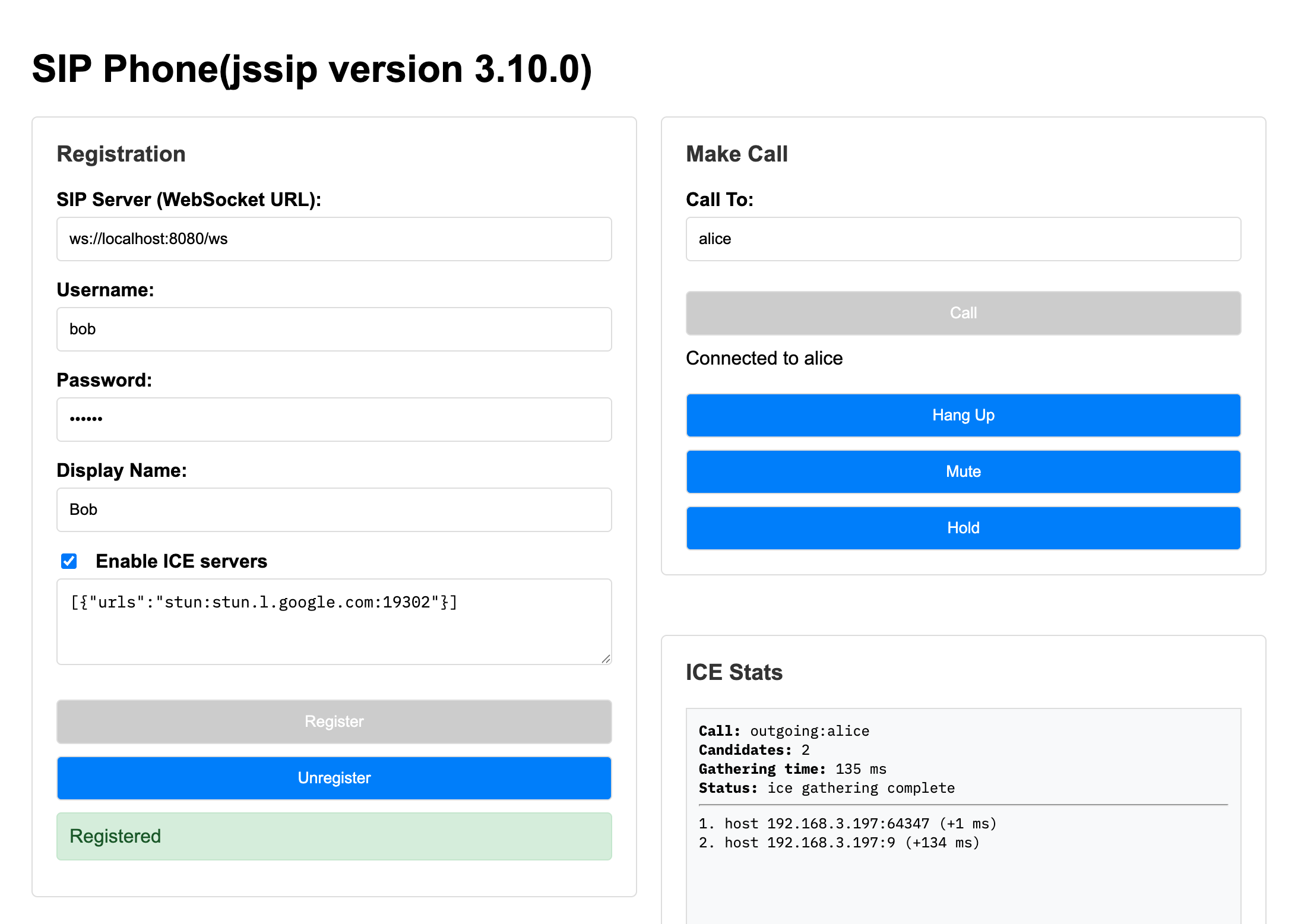
- WebRTC clients: leverage
static/phone_jssip.htmlorphone_sipjs.htmlsamples to establish secure browser sessions.
Busy-wait (camp-on)
Since 0.5, a forward route targeting a local extension can carry a [busy_wait] table. When the extension rejects with 486 Busy, the caller is parked with looping hold audio (183 early media) and the extension is re-dialed every retry_interval_secs until it frees up (call connects) or max_wait_secs expires. Caller hangup and non-busy failures exit the wait immediately.
# in a forward route targeting a local extension
[busy_wait]
enabled = true
max_wait_secs = 120        # 0 = wait indefinitely
retry_interval_secs = 15
hold_audio = "sounds/hold-music.wav"   # file path or http(s) URL
Useful for reception lines and internal help desks where callers prefer waiting over voicemail ping-pong.
4. Extension Lifecycle Hooks
Since v0.4.10, addons can hook into extension lifecycle events — create, update, and delete — through the Addon::on_extension_created, on_extension_updated, and on_extension_deleting trait methods. These hooks run automatically whenever extensions are modified via the console, API, or CSV import.
| Event | When it fires | Common use cases |
|---|---|---|
on_extension_created | After an extension row is inserted into the database | Auto-provision voicemail mailbox, create default queue memberships |
on_extension_updated | After an extension row is updated in the database | Sync voicemail PIN/email changes, update endpoint provisioning |
on_extension_deleting | Before an extension row is deleted | Clean up voicemail mailboxes and recordings, remove queue bindings |
Voicemail addon example: when the voicemail addon (addon-voicemail) is enabled, creating an extension automatically creates a corresponding voicemail mailbox. Deleting an extension automatically deletes the mailbox and its recorded messages. No separate mailbox provisioning step is required.
Errors in addon hooks are logged but do not block the extension operation.
5. JWT-based authentication
Extensions can register without a SIP password using JWT tokens. When [proxy.jwt_auth].enabled = true, the proxy checks for a JWT in the X-Auth-Token SIP header (or ?token= query parameter on WebSocket). If the JWT is valid and the user_id_claim matches an extension number, registration proceeds without a digest challenge.
JWT auth also supports a pre-auth registry: once an extension is authenticated via JWT, the proxy stores a short-lived binding so that subsequent in-dialog requests (BYE, re-INVITE, ACK) are fast-tracked without re-validation.
For WebSocket clients, include the token as a query parameter:
wss://<host>:<ws_port>/ws?token=<jwt>
JWT-based registration is ideal for voice agents, automated dialers, and browser-based WebRTC softphones where managing SIP passwords per extension is impractical.
6. Security & limits
- Frequency limits: define policies in
models/frequency_limit.rs, attach them via the console to mitigate abusive dialing. - ACL: coordinate with
config/acl/to restrict IP or network access. - Login alerts: enable failed-login alerts in Diagnostics; spike detection can auto-block offending IPs.
7. Operational routines
| Task | Recommended approach |
|---|---|
| Password rotation | Reset in bulk every quarter via API scripts |
| Status review | Diagnostics → SIP registrations to find long-offline extensions |
| Mass firmware/config updates | Use vendor provision servers so devices reboot and fetch new templates |
| Decommissioning | Disable from the extension detail page and remove queue/skill bindings |
8. Common issues
- Cannot register: verify password, proxy port, device clock, TLS certificate, and ACL rules.
- Call fails: confirm routing rules allow the extension to dial out and ensure frequency limits were not tripped.
- Poor audio: lower codec complexity, enable QoS on the device, or move the media server closer to the user.
Applying these practices keeps extensions secure, observable, and aligned with routing/queue policies.