Rate Deck Management
1. Rate Deck Types
| Type | Purpose |
|---|---|
| Buy Deck | Carrier cost price, associated with trunks |
| Sell Deck | Customer sales price, associated with tenants |
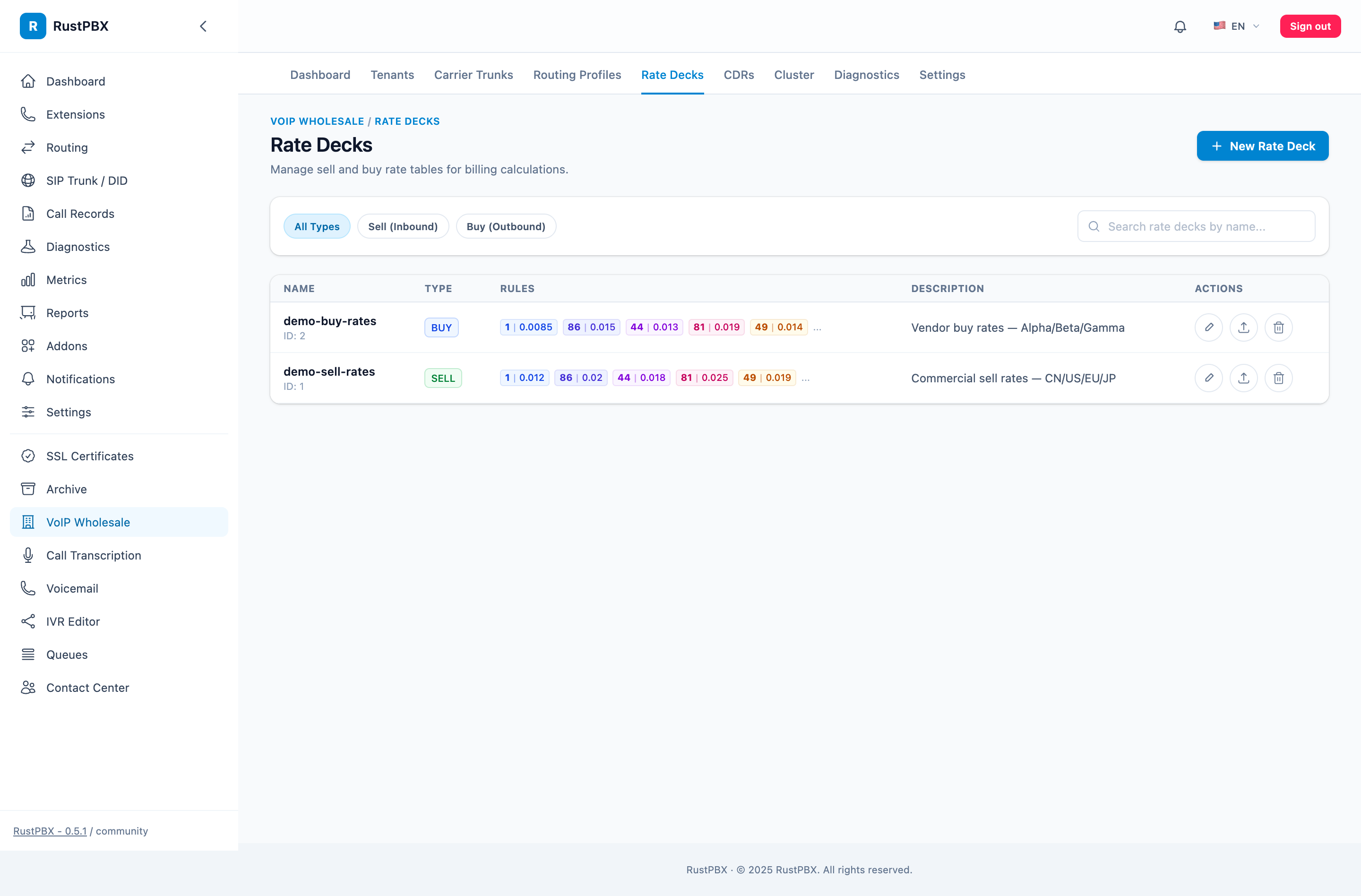
2. Create a Rate Deck
Wholesale → Rate Decks → Create New:
- Name: e.g. “buy-carrier-a-cn”
- Type: Buy/Sell
- Description: Remarks
3. Rate Entries
Each rate deck contains multiple rate entries:
| Field | Description | Example |
|---|---|---|
| Prefix | Number prefix (longest match) | 8610 |
| Rate | Price per minute | 0.03 |
| Min Duration | Minimum billable seconds | 6 |
| Billing Increment | Billing unit in seconds | 6 |
Billing Formula
CDR Duration = max(actual talk time, min duration)
Billable Duration = ceil(CDR Duration / billing increment) × billing increment
Cost = Billable Duration / 60 × Rate
Example: Rate 0.03 per minute, min 6 seconds, increment 6 seconds
- 4 seconds talk → billed 6 seconds → 0.003
- 15 seconds talk → billed 18 seconds → 0.009
- 60 seconds talk → billed 60 seconds → 0.03
Prefix Matching Rules
Uses Trie longest prefix match:
- Number
861012345678matches both86(0.05) and8610(0.03) —8610is selected - Calls with no matching prefix are rejected
4. CSV Bulk Import
Rate Deck Details → Import → Upload CSV
CSV format:
prefix,rate,min_duration,increment
86,0.05,6,6
8610,0.03,6,6
8613,0.04,6,6
1,0.08,6,6
44,0.06,1,1
| Column | Required | Description |
|---|---|---|
| prefix | Yes | Number prefix |
| rate | Yes | Rate per minute |
| min_duration | No | Minimum duration, defaults to 6 |
| increment | No | Billing increment, defaults to 6 |
Import behavior worth knowing:
- Idempotent upsert — re-importing the same prefix updates its rate instead of duplicating the row, so a corrected CSV is a safe re-run.
- Prefix is the key — that also means a typo’d prefix creates a new entry rather than failing; sanity-check the imported count against the file’s row count.
- Mixed granularity is fine — decks routinely carry per-second (
1,1) entries for premium destinations and per-6-second entries for bulk ones. - Preview before commit — large imports show the parsed rows for review; nothing is written until you confirm.
5. Hot Reload
After modifying a rate deck, click the “Reload” button:
- The system exports from the database to
rate_decks.generated.toml - Rebuilds the in-memory Prefix Trie
- New calls use the updated rates; existing calls are unaffected
6. Diagnostic Tools
Tenant Details → Price Calculator:
- Enter the callee number
- The system displays the matched prefix, sell rate, routing trunk, buy rate, and expected profit
- Useful for verifying rate configuration