
RustPBX Basics: Extensions — From Zero to First Registration
This is part of a Basics series covering the everyday tasks of running a RustPBX instance. Start here: create extensions, get devices registered, and understand the options you’ll actually use.
Create an Extension
Console first: Extensions → New Extension, fill the number, display name, and a SIP password. Under the hood this calls the same API you can script:
curl -X PUT http://<host>:8080/api/extensions \
  -H "Authorization: Bearer <token>" \
  -H "Content-Type: application/json" \
  -d '{
    "extension": "1001",
    "display_name": "Alice Zhang",
    "email": "alice@example.com",
    "sip_password": "choose-something-long"
  }'
For bulk onboarding there’s CSV import (Extensions → CSV Import) or the POST /api/extensions/import endpoint.
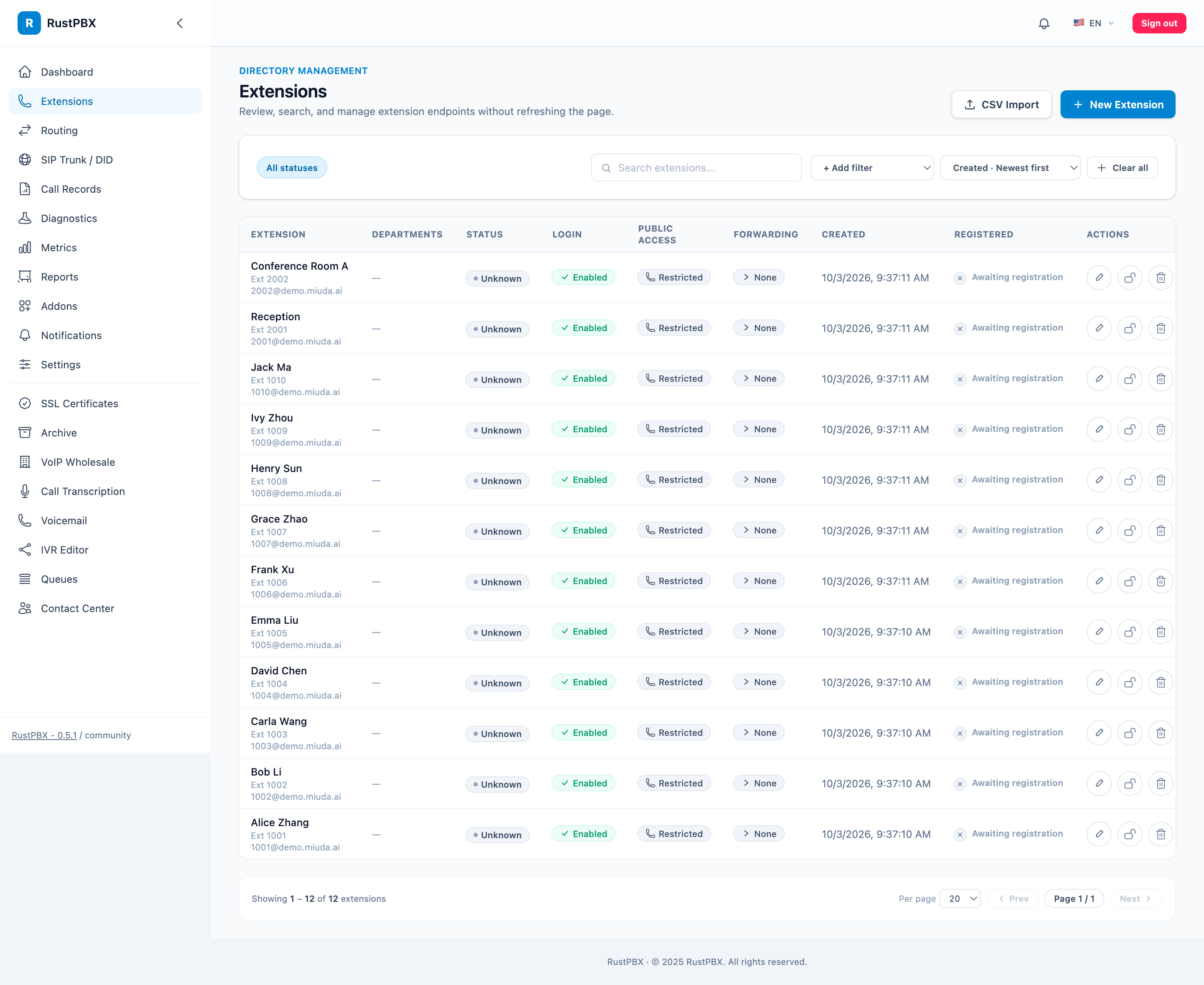
The list view carries the columns you’ll actually triage on: department, registration status, login state, public access, and forwarding mode — searchable without a page refresh.
Register a Device
Any SIP endpoint works — softphone, desk phone, WebRTC client:
| Field | Value |
|---|---|
| Server | host:5060 (UDP/TCP) or wss://host/ws for WebRTC |
| Username | the extension number (1001) |
| Password | the SIP password |
RustPBX tracks registrations in the locator registry; Diagnostics → SIP shows live bindings, and stale ones can be dropped from the console when a device vanishes without a BYE.
Registration Without Passwords: JWT
For voice bots, dialers, and browser clients where per-device SIP passwords are painful, enable JWT registration:
[proxy.jwt_auth]
enabled = true
secret = "a-long-shared-secret"
user_id_claim = "userId"
A REGISTER (or WebSocket connect with ?token=) carrying a valid JWT whose userId claim matches the extension registers without a digest challenge. A short-lived pre-auth binding then fast-tracks in-dialog requests.
Busy? Let Callers Wait
Since 0.5, a forward route targeting an extension can carry a [busy_wait] (camp-on) table — the caller waits with looping audio and the extension is retried every retry_interval_secs:
[busy_wait]
enabled = true
max_wait_secs = 120
retry_interval_secs = 15
hold_audio = "sounds/hold-music.wav"
Lifecycle Hooks
Addons react to extension changes — create a voicemail mailbox on extension create, clean up recordings on delete — through on_extension_created / on_extension_updated / on_extension_deleting. Hook errors log but never block the operation.
When Registration Fails
The 90% cases, in order:
- Wrong realm/user — the extension number must be the SIP username; check Diagnostics → SIP → Locator for whether the device ever registered.
- Firewall — UDP 5060 open, and the RTP range open for media; WebRTC needs WSS + STUN/TURN instead.
- Clock skew — digest auth uses timestamps; a device minutes off fails challenges intermittently.
- ACL — remember ACLs apply to inbound trunk paths; a device failing to register is usually password/port, not ACL.
Housekeeping
- Password rotation: bulk-reset quarterly via the API.
- Offline review: Diagnostics → SIP registrations, look for long-offline extensions.
- Decommission: disable from the detail page, then remove queue/skill bindings.
Full details: the Extension Management guide. Next in the series: call forwarding.