
Smarter Queues, Real Outbound Lines, and Reports That Match How CC Teams Think
A contact center lives or dies by two moments: what happens when there’s no free agent, and what the supervisor sees when things go sideways. The latest RustPBX contact-center addon reworks both — plus a set of agent-facing features that close the gap between the PBX and the desk.
Overflow Without the Cliff
The old overflow story was binary: wait in queue or spill to the next group. Two new modes smooth that out:
- Sequential overflow — instead of blasting every overflow skill group at once, the queue walks its overflow chain in order, giving each group a fair window before escalating. Fewer agents get interrupted for calls that were about to be answered anyway.
- Busy-wait camp-on — for extension-targeted queues, a caller can opt to wait on a busy agent and get connected the instant they free up.
Overflow hand-offs now emit overflow_joined events, and skill groups track waiting depth per queue, so the console shows where callers are actually piling up. A cross-node strict-FIFO gate keeps dispatch order honest even when the queue lives on one node and the agent registers on another.
Agents who do get pulled across groups carry their context with them: the ACD stamp includes the resolved agent, and the call record shows the full queue journey.
Outbound Lines for the Desk
Agents no longer need a separate dial-out setup. The CC addon now manages per-agent outbound policies (which routes, trunks, and caller-ids an agent may use) and serves the allowed desk lines to the CC Phone client:
- The desk shows a line picker for outbound calls, with prefix dialing rules applied server-side.
- Policies are console-managed and hot-reloaded — changing an agent’s allowed trunks doesn’t require a PBX reload.
- Quick-transfer contacts gained types: a contact can target a skill group or an IVR directly, with feature codes dialed automatically and hidden from the UI.
When agents do transfer, consult mode supports switching the talking party mid-transfer, and unanswered consults fail cleanly with a 409 instead of hanging both legs.
Screen-Pop, Finally Standard
On an inbound queue call, RustPBX now carries Call-Info and User-to-User (RFC 7433) headers through dynamic dial-list re-resolution — meaning the screen-pop data survives transfers and re-rings, not just the first ring. The desk’s ACW popup/countdown rides the same UUI channel, so wrap-up state stays attached to the call rather than the client session.
Supervisor View and Skill-Group-First Reports
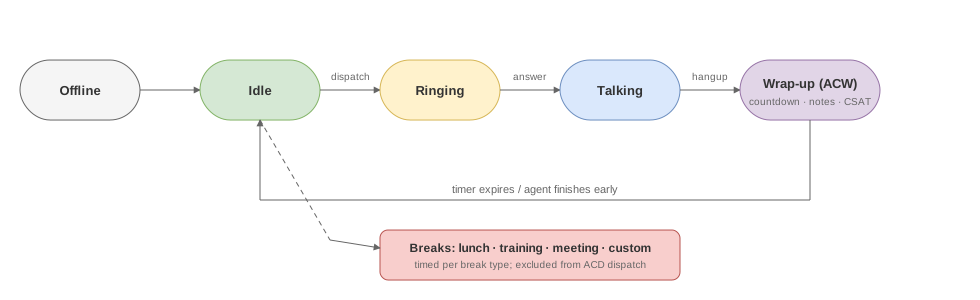
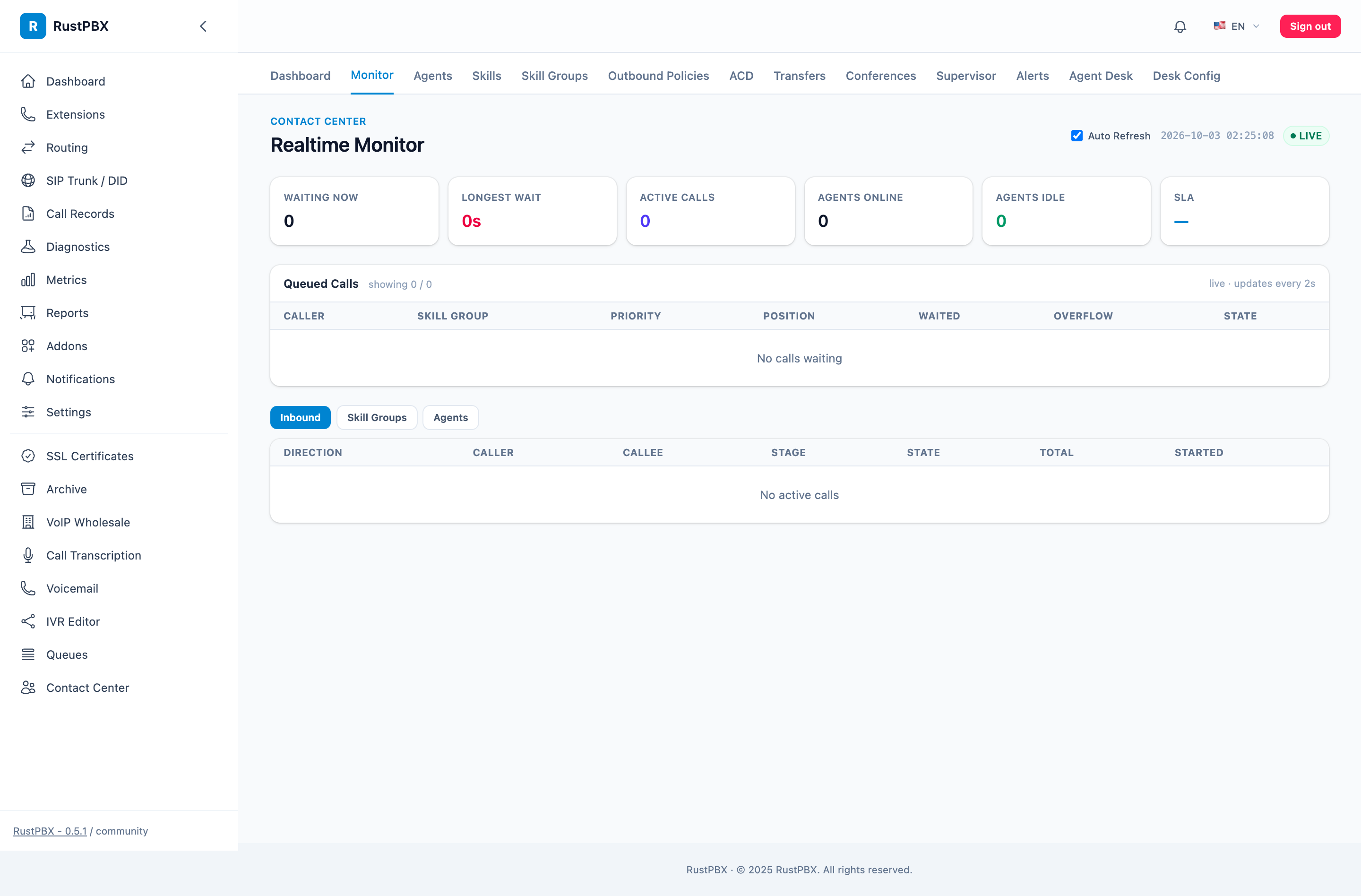
The monitor page gained a current-stage view — for each live call you see which stage it’s in (ringing, in-queue, ACW, talking) without opening the call detail. Stuck bindings got a self-heal watchdog, and operators can force-release a dead peer’s binding from the console.
Reporting was rebuilt around how call-center teams actually report:
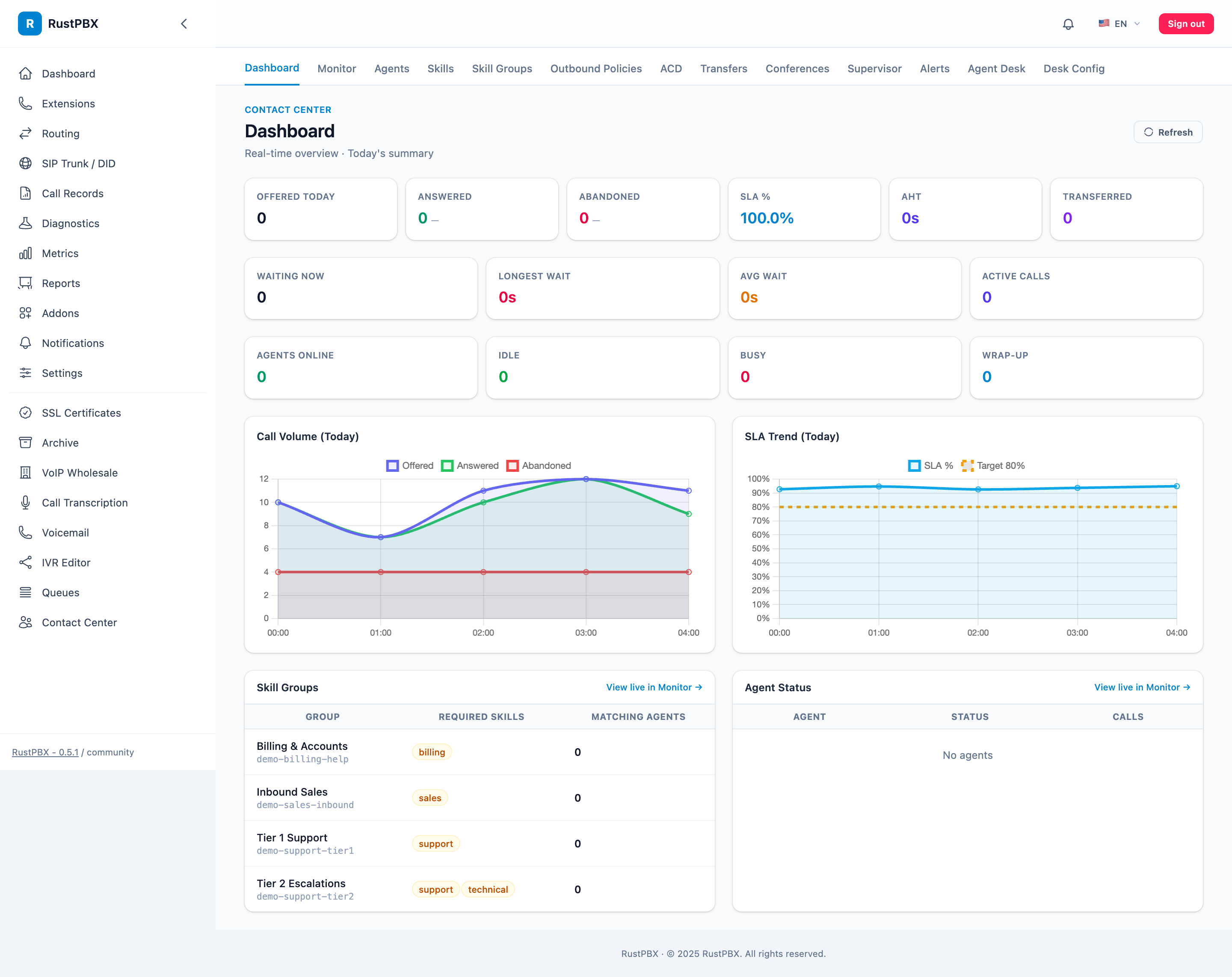
- Per-skill-group SLA history, not just global averages
- Status, alert, and CSAT history per group, with snapshot deltas so you can see today’s shift against the baseline
- A unified report API that other addons (wholesale, PBX) plug into, so one endpoint serves every report surface
- Hourly stats tables power the charts, and the monitor reconciles
calls_waitingagainst the shared queue tracker instead of trusting a single in-memory counter
CSAT That Behaves
Post-call surveys now support after-transfer opt-in — by default a transferred call skips the survey (nobody rates being handed off), but skill groups can opt in. Global CSAT defaults with per-group override replace per-queue prompt configuration, and the bundled prompt sounds ship with the addon.
Try It
All of this ships in the contact-center feature of RustPBX 0.5. The call center docs walk through skill groups, queues, and the console; the queue & ACD guide covers the new overflow modes in detail.